maquette Start a board
For photobook publishers

The dummy, made together.

From the photographer's edit to the spreads, with the photographer, the designer and the editor in the same book at the same time.

Start a board No account for your first board.
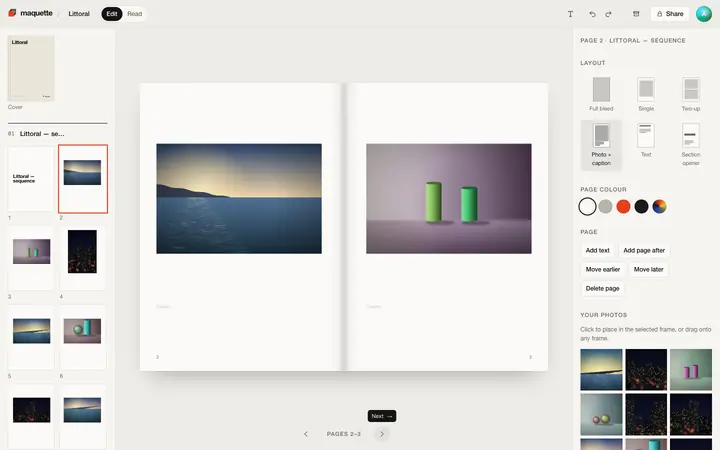
The book editor: the list of pages, an open spread with two captioned photographs, layouts and photos.
What gets in the way

Dummies are slow to pass around.

  1. Sequence and design drift apart.The edit changes on one side, the layout file on another, and someone reconciles them by hand.
  2. One physical dummy, four readers.It travels by post, or it's a PDF nobody leafs through like a book.
  3. Feedback as scans of pencil marks.Hard to read, harder to act on.
How it works for you

Edit, then spreads, then the case.

The board holds the edit; the book is made from it and edited by everyone at once.

01

Settle the edit first

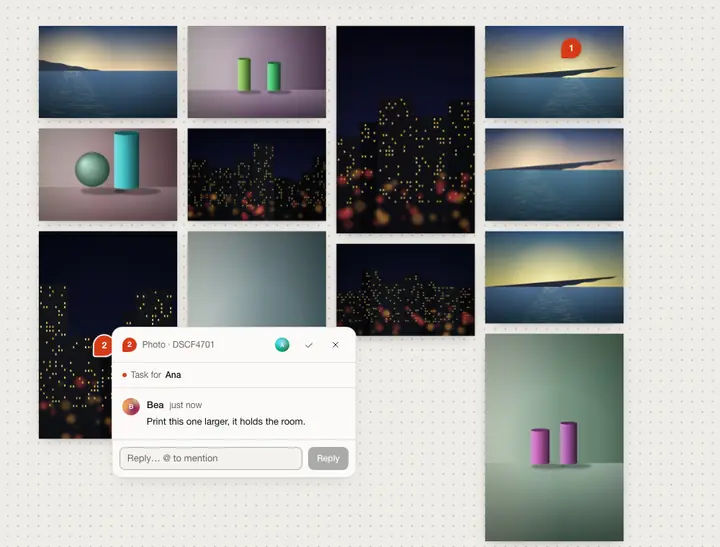
The photographer sequences on a board; you comment on the photographs themselves.

  • Notes on the pixel. Mentions, tasks, resolve.
  • Reading order. Becomes page order.
A comment pinned to a night photograph, assigned to Ana: Print this one larger, it holds the room.
A note on a photograph
02

A first layout in one click

Make a book from the board: one page per photo, in order, each a full bleed or a captioned page depending on orientation, crop and resolution.

  • Strong opening. The first photo bleeds if it can.
  • Rhythm. No more than two bleeds in a row; long captioned runs get broken up.
Uses: Books
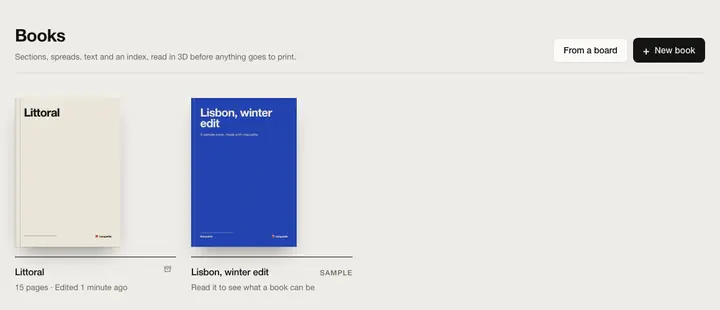
The publications shelf: a book made from a board beside the sample book.
Publications · a book made from a board
03

Spread by spread, together

Designer and photographer in the same book, live. Each undoes only their own changes.

  • Layouts. Full bleed, single, two-up, photo with caption, text, section opener.
  • Free placement. Drag and scale photos and text, snapping to margins and centre lines.
  • Page colour and type. Paper, stone, vermilion, ink or custom; one type system.
Uses: Books
The book editor: the list of pages, an open spread with two captioned photographs, layouts and photos.
Book editor · a spread
04

The case and the back matter

Choose the cover colour and material, place artwork, write the blurb. The index and the plates write themselves.

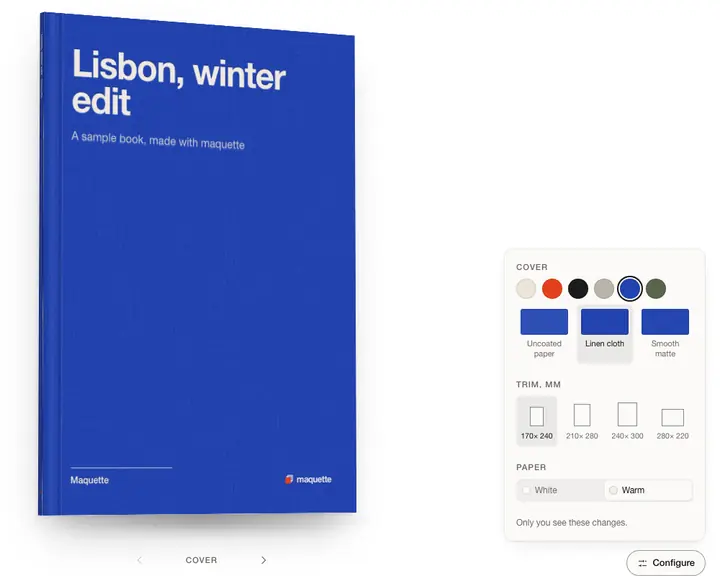
  • Materials. Uncoated paper, linen cloth, smooth matte.
  • Index. Sections, headings and plates with page numbers, never stale.
Uses: Books
The reader's Configure panel: cover colours and materials, trim sizes, white or warm paper.
Reader · Configure: cover, trim, paper
05

Read it, then print it

Send a link and it opens as a book in 3D: turn pages, turn it over, try another trim. When it's ready, export the files for the printer.

  • Reading links. A secret read-only link you can reset or switch off, or invites by email.
  • The 3D reader. Pages are real type, sharp at any size.
  • Print-ready PDF. Interior with 3 mm bleed and optional crop marks, a one-piece cover with its spine, softcover, hardcover or saddle stitch.
  • Preflight. Warns below 300 ppi, stops below 150, checks the safe zone and the page multiple.
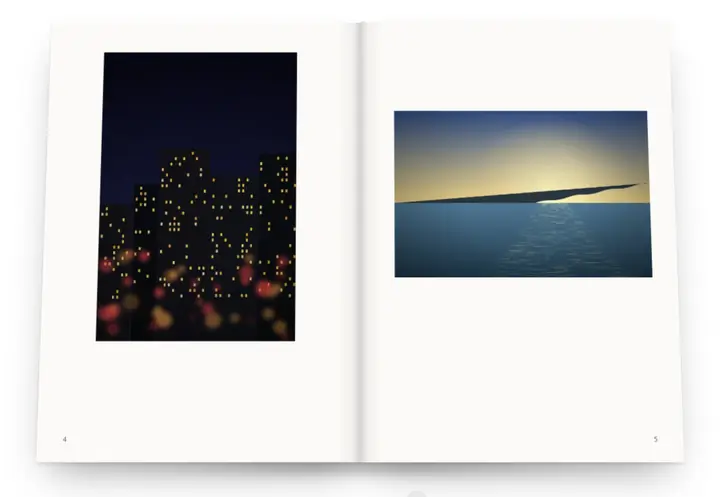
The 3D reader open at pages 4 and 5: a night street on the left, the sea on the right.
Reader · pages 4 and 5
A first bookA scenario to show how the pieces fit, not a customer quote.

A small press is making a first book with a photographer they met at a portfolio review. She sequences on a board; the publisher makes the book from it the same afternoon.

For three weeks the designer reworks spreads while the photographer watches, each undoing only their own changes. The editor reads it in 3D from a link before every meeting.

Start the dummy.

Start a board No account needed. A guest board holds 4 photos for 7 days; sign in and it's yours to keep. Or leaf through a sample book
Solutions

Also made for.

The same boards, rooms and books, from another seat at the table. Or see every feature.