maquette Start a board
For newsrooms and press offices

The take, live. The pick, fast.

When the picture is news there's no time for transfer links and reply-all. Watch the photographs arrive while the photographer is still uploading, decide together, and send the selection out with one link.

Start a board No account for your first board.
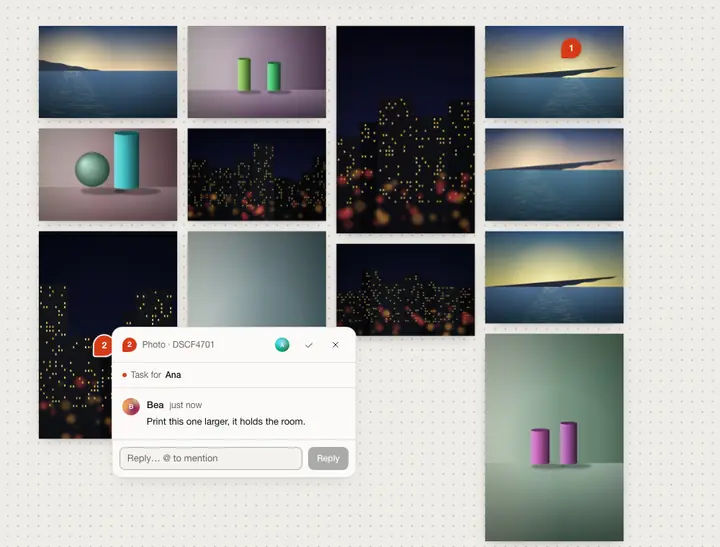
A board with twelve photographs of sea, still lifes and night streets in four columns, two comment pins, Bea's cursor among them.
What gets in the way

Waiting is the job, and it shouldn't be.

  1. Transfers that block.Nobody can look until the download link finishes, and then everyone downloads everything.
  2. Five copies of one selection.The desk, the photographer and the press office each keep their own; changes don't travel.
  3. Sharing is a chore.Accounts to create, seats to buy, folders to export for every outlet.
How it works for you

From the venue to the newsroom.

Everything happens on one board that everyone sees change as it changes.

01

Watch the take arrive

Each photo appears on the board, for everyone, as soon as it has uploaded. No refresh, no transfer to wait for.

  • Live. Uploads, moves and notes show up as they happen.
  • From any laptop. Drop, paste or pick; four uploads at a time, with retry.
  • Presence. See who's on the board and where they're looking.
Uses: Boards
A board with twelve photographs of sea, still lifes and night streets in four columns, two comment pins, Bea's cursor among them.
Board · the take, as it lands
02

Pick with the photographer

Pin the question where it belongs: a name for the caption, a crop to check. The photographer answers on the photo.

  • Mention and assign. Someone's task, waiting in their inbox.
  • Resolve. Done is visible to everyone.
A comment pinned to a night photograph, assigned to Ana: Print this one larger, it holds the room.
A note on the photo, with a name on it
03

Share the selection with one link

Set the board to “anyone with the link can view” and send it. It opens in any browser, with no account, and the originals download as a ZIP.

  • View-only. Viewers can't move or change anything.
  • Originals. As uploaded, numbered in the order you chose.
  • On a phone. Pinch to zoom, tap a photo to open it, swipe through.
  • Change your mind. Switch the link off and the board answers “not found”.
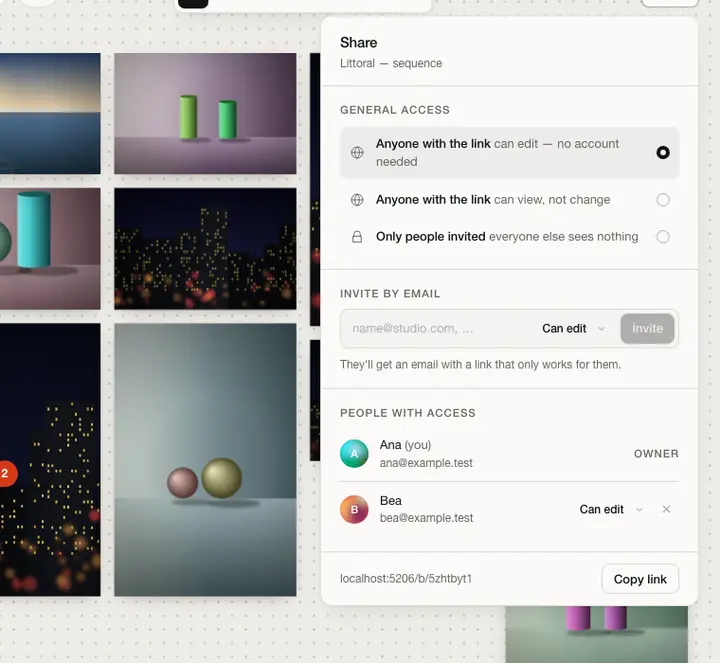
The share dialog: who can open the board, invite by email, and the people with access and their roles.
Share · general access
04

Protect people in the pictures

Where a photograph was taken can endanger a source. Location data is removed from the file before it leaves the photographer's browser.

  • In the browser. GPS, place names and IPTC / XMP location are blanked in place, without re-encoding.
  • On the server too. A backstop for JPEGs, in case anything slipped through.
  • Private boards. Answer “not found” to anyone who isn't invited.
Uses: Privacy
DSCF4412.jpg · what leaves your browser
  • GPS positionremoved
  • City, region, countryremoved
  • IPTC / XMP locationremoved
  • Camera and lenskept
  • Exposurekept
  • Capture datekept
  • Pixelsuntouched
05

See the final artefact

Hang the selection in a room for a press preview, read it as a book, or publish it as a page. Same photographs, same order.

  • Exhibit. A 3D room you can share view-only.
  • Books. A board becomes a book in one click, read in 3D, exported as a PDF.
  • Sites. A public page with no scripts; images re-encoded without metadata.
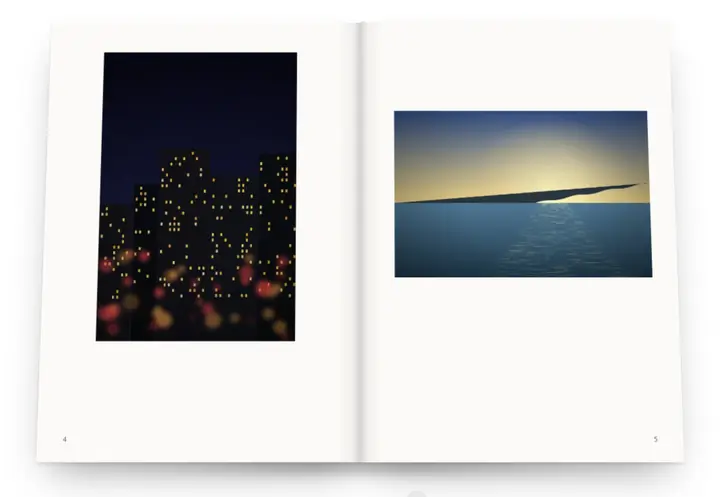
The 3D reader open at pages 4 and 5: a night street on the left, the sea on the right.
Reader · the selection as a book
Opening nightA scenario to show how the pieces fit, not a customer quote.

The festival's photographer uploads from the venue between sets; the press office watches the frames land on the board as they finish. Two people pick in parallel, and a mention asks the photographer for a name in a caption.

By eleven a view-only link with twelve photographs goes to the newsroom list. Journalists open it in a browser and download the originals. The photographer's location data never left her laptop.

Open a board.

Start a board No account needed. A guest board holds 4 photos for 7 days; sign in and it's yours to keep. Or leaf through a sample book
Solutions

Also made for.

The same boards, rooms and books, from another seat at the table. Or see every feature.