maquette Start a board
For teachers and students

One wall for the whole class.

Share inspiration, run crits live with students and alumni wherever they are, and keep your curation at the centre of the room.

Start a board No account for your first board.
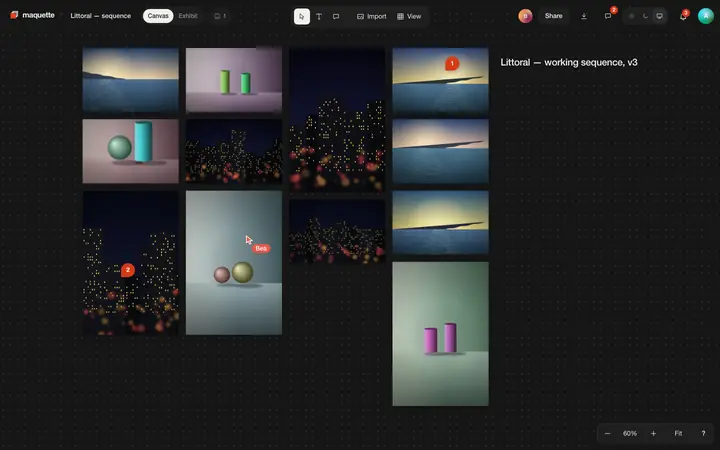
A board with twelve photographs of sea, still lifes and night streets in four columns, two comment pins, Bea's cursor among them.
What gets in the way

Crits stop at the classroom door.

  1. References in twelve places.Slides, links, a shared drive, a pile of books on the table that only the front row can see.
  2. The room is too small.Alumni, visiting artists and students abroad can't lean over the table.
  3. Feedback evaporates.What was said in the crit is gone by next week, and nobody wrote down which photograph it was about.
How it works for you

Teach around the work.

One board can be the reference wall, the crit table and the plan for the show.

01

Share inspiration

Build a board of references: photographs, PDFs of readings and contact sheets, titles in type. Share it view-only with the class.

  • PDFs on the table. Readings and contact sheets beside the photographs.
  • Sections. A titled frame per student, theme or assignment.
  • View-only links. Students look closely; nothing moves.
A board with twelve photographs of sea, still lifes and night streets in four columns, two comment pins, Bea's cursor among them.
Board · a shared reference wall
02

Crit live, with alumni

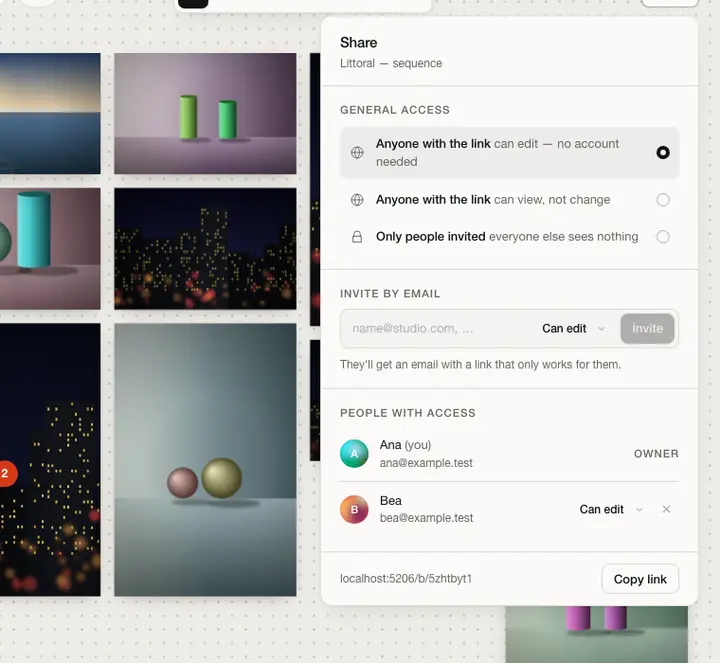
Open a board to the group and everyone is at the table: students, you, and alumni joining from other cities.

  • Live cursors. Everyone sees who moves what.
  • Invite by email. Alumni and guests as editors or viewers.
  • Undo is personal. A student's ⌘Z never takes back yours.
The share dialog: who can open the board, invite by email, and the people with access and their roles.
Share · invite alumni and guests
03

Feedback that stays

Pin each remark to the photograph it's about. Assign a task, like re-sequencing the middle third, and see it resolved.

  • Pinned. On the photo, the table or a wall in the exhibit.
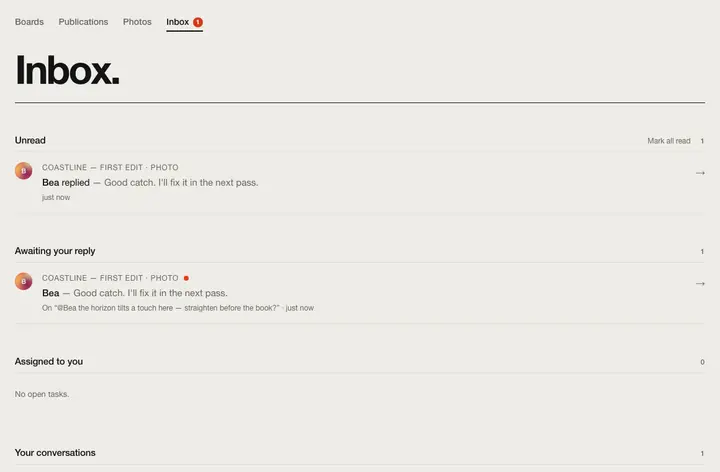
  • Tasks. Assigned to a student, waiting in their inbox.
  • Discussions. Every thread on a board: open, mine, resolved.
The inbox: unread replies, conversations awaiting your reply and tasks assigned to you.
Inbox · what each student has waiting
04

Keep your curation at the centre

Your board is the reference point. You own it, decide who edits, and its reading order is the sequence everyone discusses.

  • Owner, editor, viewer. Change roles any time; viewers can't change a thing.
  • An archive. Download the board as a ZIP at the end of term.
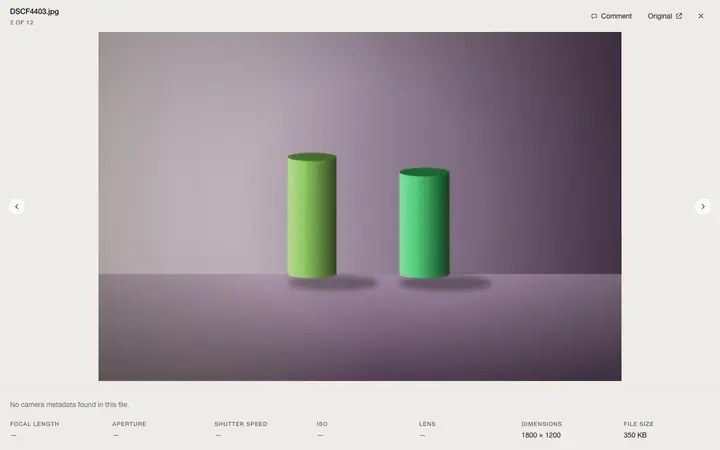
The loupe: one photograph full screen with its file name, its place in the sequence and its camera details.
Loupe · one work at a time, full screen
05

The show, the book, the site

Hang the graduating series in a room to plan the show, make the catalogue as a book, and let each student publish their own site.

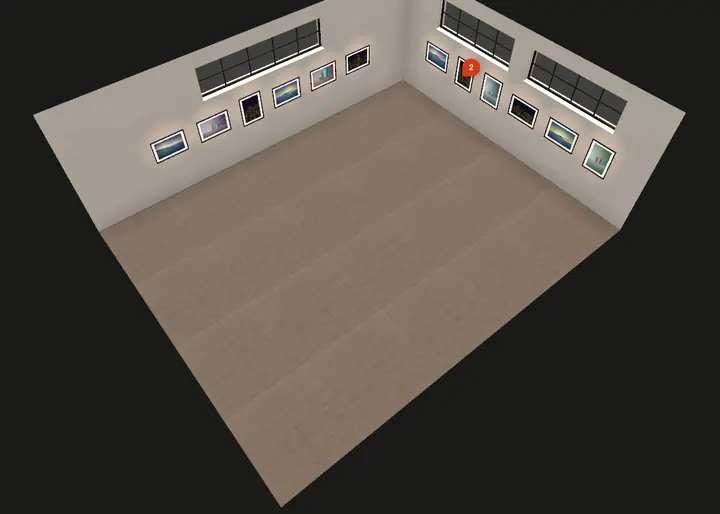
  • Exhibit. Walls, windows, frames, light, walked together.
  • Books. From the same board, in the same order, exported as a PDF.
  • Sites. A portfolio from a student's boards, in four templates.
The exhibit seen from above: two walls of framed photographs, windows above them, a comment pin on one print.
Exhibit · the room from above
Wednesday crit, second yearA scenario to show how the pieces fit, not a customer quote.

Professor Okafor opens the class board on the projector; two alumni join by link from Berlin and Lagos. Each student's series sits in its own row, and their cursors move prints while the room talks.

The alumni leave pinned notes that students find in their inbox afterwards. In June the same board is hung in the exhibit to plan the graduation show.

Open the class board.

Start a board No account needed. A guest board holds 4 photos for 7 days; sign in and it's yours to keep. Or leaf through a sample book
Solutions

Also made for.

The same boards, rooms and books, from another seat at the table. Or see every feature.